
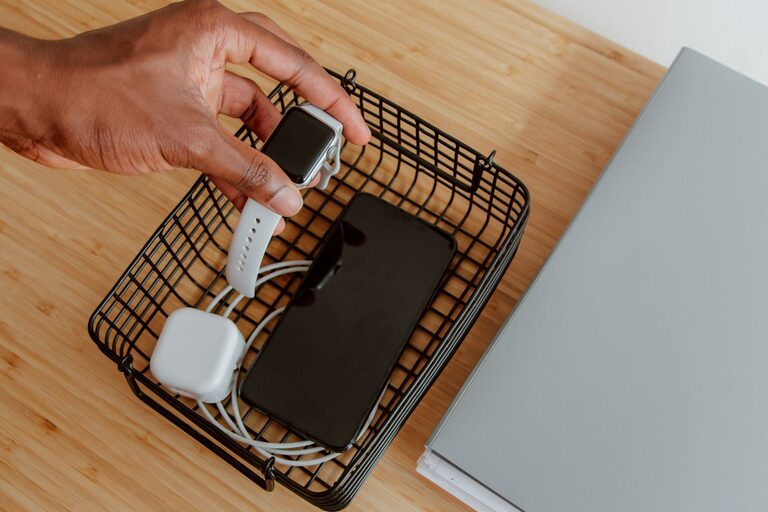
How to Set Up a Charging Station for All Your Devices
Setting up a dedicated charging station for your devices can make a big difference in how you manage power and reduce clutter. Whether you have smartphones, tablets, laptops, or accessories like wireless earbuds, a well-organized charging area keeps everything in one place, making it easier to keep devices powered and ready to use.
In this post, we’ll walk through the steps to create an efficient charging station tailored to your needs.
Why Set Up a Charging Station?
With multiple devices relying on rechargeable batteries, it’s common for cords and chargers to get tangled or lost. Having a charging station:
– Centralizes all charging needs
– Reduces clutter and tangled cables
– Protects devices from damage
– Saves time by knowing exactly where to charge and find devices
Step 1: Choose the Right Location
The first step is finding a convenient location for your charging station. Consider the following:
– Accessibility: Pick a spot you use often, like a desk, kitchen counter, or living room shelf.
– Power outlets: Make sure there are enough outlets nearby to plug in your chargers or a power strip.
– Ventilation: Choose a well-ventilated area to prevent devices from overheating.
– Safety: Avoid high-traffic spots where cables could be tripped over or pulled.
Step 2: Gather Your Materials and Equipment
Before setting up, collect the necessary items:
– Charging hub or power strip: Look for one with multiple USB ports and surge protection.
– Charging cables: Make sure to have cables compatible with your devices (USB-C, Lightning, micro-USB).
– Cable organizers: Clips, ties, or sleeves help keep cords neat.
– Storage containers or trays: Use these to hold devices while charging and keep everything organized.
– Labeling materials (optional): Labels can help identify cables and charging slots.
Step 3: Select a Charging Hub
Instead of using multiple chargers plugged into the wall, consider a charging hub. Here’s what to look for:
– Multiple ports: The more devices you have, the more ports you’ll need.
– Fast charging: Some hubs support fast or smart charging, which can speed up the process.
– Safety features: Surge protection and overcurrent protection safeguard your devices.
– Port types: Make sure the hub supports the ports you need (USB-A, USB-C, etc.).
Step 4: Organize Your Cables
Managing cables is key to an effective charging station. Here are some tips:
– Use cable clips or ties: Keep cables separated and prevent tangling.
– Bundle extra length: Coil up unused cable length neatly behind your setup.
– Color-code or label cables: This makes it easier to identify the right charger quickly.
– Consider wireless charging pads: For compatible devices, wireless charging reduces cable clutter.
Step 5: Arrange Your Devices
Organize devices in a way that makes sense for daily use:
– Use charging stands or docks: These can hold phones or tablets upright, making notifications easy to see.
– Use trays or small containers: Keep smaller devices like wireless earbuds or smartwatches contained.
– Leave space between devices: Prevent overheating by ensuring good airflow.
Step 6: Maintain and Update Your Station
A charging station requires occasional upkeep:
– Regularly untangle and clean cables.
– Inspect chargers and cables for damage.
– Update your setup as you acquire new devices.
– Keep the area dust-free.
Bonus Tips
– Use a timer or smart plug: To avoid overcharging, consider plugging in chargers on timers or smart plugs that can turn off automatically.
– Portability: If you travel often, create a portable version of your charging station with a travel organizer.
– Label charging spots: If multiple people use the station, assign spots to avoid confusion.
Conclusion
A home or office charging station makes charging multiple devices easier, safer, and more organized. By carefully choosing a location, gathering the right tools, and managing cables effectively, you can reduce clutter and keep all your gadgets powered and ready.
Start with the basics and customize your setup as needed. With a little effort, your charging station will become a convenient and efficient part of your daily routine.
